Creating a custom UI Panel for a brand animation that had to stay fully editable after handoff.
The client had a font in which every letter was built entirely from circles — and each circle had to animate on individually, in sequence, rather than the letters simply appearing. At roughly twenty circles per letter across most of the alphabet, that’s hundreds of individual layers, each needing its own staggered timing.
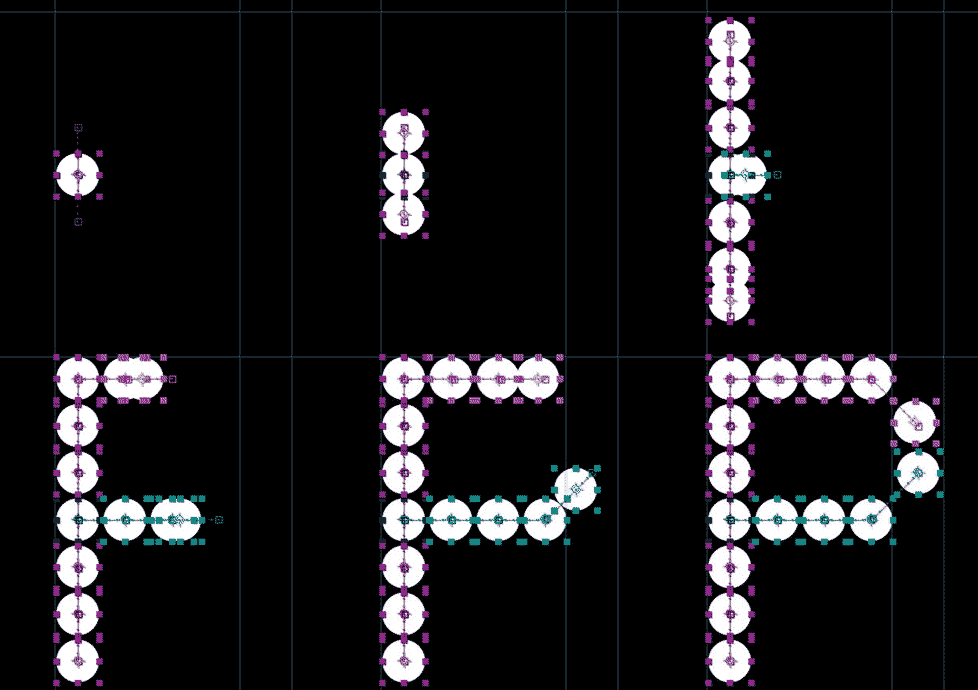
Circles need to animate like this sample.
Project files must be delivered.
NO PAID PLUGINS.
Both panels shipped with the project. When the file was handed off, the client's team could rebuild the type, retime it, and recolor it — without installing a single plugin. The tools became part of the deliverable, not just the means to it.
This is the part of motion design that's hardest to automate and easiest to undervalue: not making one animation, but building the system that makes the animation repeatable, editable, and durable after you've walked away. It's the difference between delivering a video and delivering a capability.
After Effects can draw a gradient between two straight points, but it has no native way to run one along a curved path — following the curve as it bends.
A workaround exists. Motion designer Michael Ponch shared a tutorial using tapered strokes and luminance mapping. It works, but there are several steps and it can be confusing.
I turned that procedure into a single click. Run the script on any path you draw and it assembles the entire setup for you, then hands you two controls: a width slider, and an "Evolution" dial that cycles the colors along the path. No hunting through past projects, no copying settings. Run it, pick your colors, done.